
UPCOMING
New skillSYMS is live on the App Store
Run a provider that passes its audit
Every learner record, every piece of evidence, every verified workplace hour and every result — in one system, built for South African compliance. So when a site visit arrives, you produce the file instead of assembling it.
Download on the App Store
QCTO Compliant • POPIA Ready • 🇿🇦 Built for SA
QCTO01–06
Official export formats generated and validated
Public
Credential verification — scan a certificate, no login needed
ECTA s13(2)
Electronic signatures with a signing certificate

MIS Export Ready
QCTO01 • QCTO02
🔒
POPIA Compliant
Data protection built-in
Trusted by leading skills development providers













Live in production
Higher Education Compliance Suite
CHE accreditation, DHET reporting, NSFAS funding, alumni tracer studies and ICASS — on the same student record as everything else.
🏛️
CHE Compliance
Accreditation documents, Self-Evaluation Reports, and programme reviews
📊
DHET Reporting
HEMIS data, vital statistics, and annual reports automated
💰
NSFAS Integration
Funding status tracking and evidence pack generation
🎓
Alumni & Tracers
Graduate tracking, tracer studies, and employment outcomes
📝
ICASS Management
Assessment cycles, mark capture, and compliance monitoring
New · skillSYMS Desktop
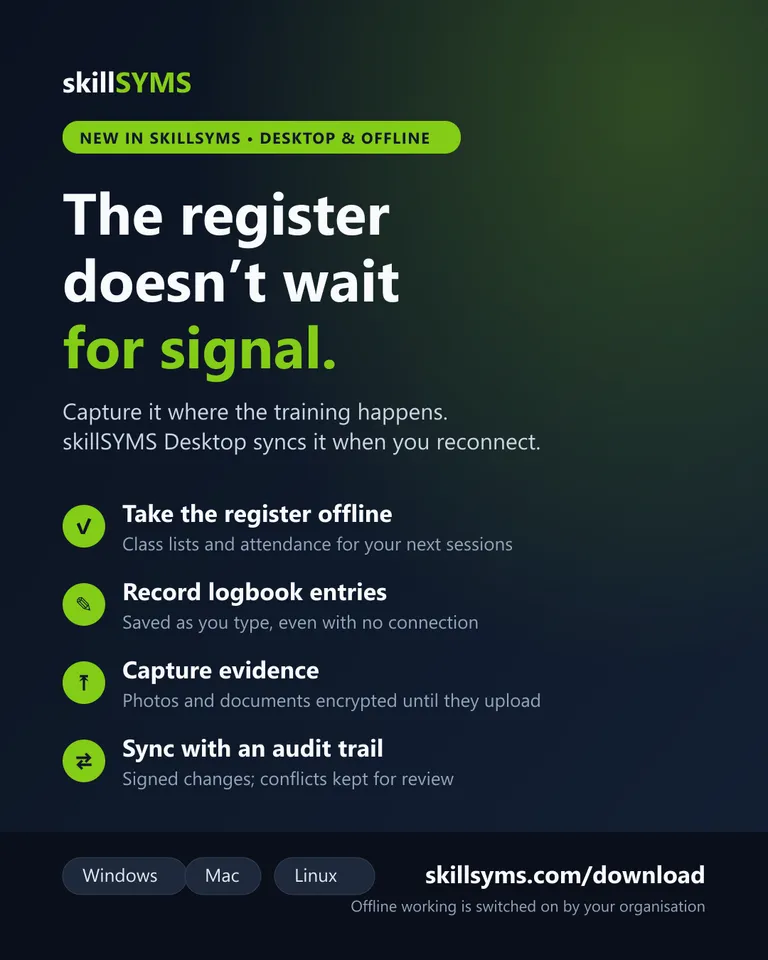
The register doesn’t wait for signal.
Training happens in workshops, on sites and in rural venues. skillSYMS Desktop keeps the register, the workplace logbook and evidence capture working with no connection, then syncs everything with the time it was captured.
- ✓Take the register offline for the classes you facilitate in the next 36 hours.
- ✓Record logbook entries and capture evidence on site — saved as you type, encrypted on the device.
- ✓Sync with an audit trail: every change signed and time-stamped, and conflicting edits kept for an administrator to decide.
Offline working is switched on by your organisation and available on devices your administrator trusts.
❌ The Problem
Paper-Based PoE Is Costing You Audits
- ✗ Hours spent on manual data entry and paperwork
- ✗ Missing evidence discovered during QCTO audits
- ✗ Error-prone MIS exports that get rejected
- ✗ No visibility into learner progress or compliance gaps
✓ The Solution
One System for Everything
- ✓ Register learners and manage programmes digitally
- ✓ Collect PoE with automatic organisation and checklists
- ✓ Generate validated QCTO exports with one click
- ✓ Complete audit trail for every action
How skillSYMS Works
From registration to certification, manage the complete learner journey in four simple steps.
📋
Register
Enrol learners and link them to accredited programmes
📁
Evidence
Collect and organise Portfolio of Evidence digitally
✅
Assess
Record assessments and moderation results
🏆
Report & Certify
Generate MIS exports and issue Statements of Results
Built for Your Role
Whether you're managing learners, conducting assessments, or tracking your own progress—skillSYMS adapts to you.
🎓
Skills Development Providers
Accredited training providers delivering QCTO occupational qualifications
- Learner management
- PoE repository
- MIS exports
- Audit compliance
Learn more
🏢
Employer-Led Skills Programmes
Companies running workplace learning and learnership programmes
- Workplace learning
- Learnership tracking
- Skills reporting
- SETA compliance
Learn more
✅
Qualified Assessors & Moderators
Registered assessors and moderators conducting evaluations
- Assessment tools
- Evidence review
- Moderation workflow
- Result recording
Learn more
📚
Skills Development Learners
Learners enrolled in occupational qualifications
- Progress tracking
- Evidence upload
- Results access
- Certificate download
Learn more
QCTO Accredited Providers
Already QCTO Accredited?
If you're a registered training provider with QCTO accreditation, you can claim your provider profile and get started in minutes. Our secure verification process ensures only authorised representatives can manage your organisation's account.
- Instant lookup in official QCTO provider database
- Pre-loaded accreditations and programme data
- Secure email verification to your registered domain
- Start using skillSYMS immediately after verification
🏢
Already listed?
Claim your provider profile so learners searching for accredited training can find you, and keep your accreditation details current.
Review us on Google
🎥 Live Expert Sessions
Join Our Free QCTO Webinars
Learn from compliance experts, ask questions live, and get practical insights you can apply immediately.
🎥
New Webinars Coming Soon
We're preparing exciting new content. Check back soon!
Browse all webinarsEverything You Need
Purpose-built modules for South African skills development compliance.
🏢
Multi-campus & multi-provider
Run several campuses, or several providers, without running several systems. Consultants switch between clients from one login.
- Campuses and delivery sites
- Workspace switching between providers
- Role-based access down to the record
- Per-tenant branding and domains
📍
Attendance & geo-verified clock-in
Learners clock in from the workplace, not from the couch. Every check-in carries a location fix, a timestamp and a photo, so the attendance register is evidence rather than assertion.
- Geo-fenced check-in per workplace site
- Selfie and GPS captured at clock-in
- QR-code session registers
- Attendance register export as PDF, Excel or CSV
👥
Learner & programme management
Register learners, manage enrolments, and track progress across every programme you deliver.
- Bulk CSV import
- SA ID validation, encrypted at rest
- Programme and cohort tracking
- Enrolment status workflow
📱
Learner portal & mobile app
Learners see their own programme, upload evidence from a phone, check attendance, and download a proof of registration or student card without asking your office.
- On the App Store — iPhone and iPad, every country
- Evidence capture from the camera
- Proof of registration and student card
- Works offline and syncs later
In beta: The web learner portal and the iOS app are generally available — skillSYMS is on the App Store worldwide. The Android app is still in open testing on Google Play: join the test first, then install.
📚
Programmes, offerings & curriculum
Map qualifications to knowledge modules, practical skills modules and workplace modules exactly as the QCTO occupational model requires.
- QCTO qualification catalogue
- Knowledge, practical and workplace modules
- Offerings, intakes and cohorts
- Evidence requirements per module
🗓️
Timetabling & AutoScheduler
Build the master timetable with the conflict check running while the room is still being chosen, or let the AutoScheduler propose a term and commit it only once every placement has been re-checked against what changed while you read it.
- Master timetable with live conflict detection
- AutoScheduler: propose, review, commit
- Room, equipment and facilitator capacity
- Blocking conflicts overridden only with a recorded reason
🎥
Live classes & virtual classrooms
Run online sessions with attendance captured automatically, and keep the recording as evidence of delivery.
- Scheduled virtual classrooms
- Attendance captured from the session
- Evidence capture during delivery
- Usage reporting
📖
Learning material & academy
Publish material to learners, track who has opened it, and run your own internal training modules with certificates.
- Material library and matrix
- Learner acknowledgement tracking
- In-app training modules
- QR-verifiable completion certificates
🎓
Staff Academy & role tracks
Train each person for the job they own. Short quests done in the real product, steps checked against your records, a verifiable certificate, and a Team Training view of who is ready.
- A track for each role, from Administrator to Assessor
- Quest steps verified against real records where possible
- Verifiable certificates showing verified and self-attested steps
- Team Training: progress, due dates, overdue and certificates
📬
Shared mailboxes (Mail)
Shared inboxes such as admissions@ and accounts@ as a queue: every conversation has a status and a response target, and staff send approved templates.
- Unassigned, SLA at risk and SLA breached counters
- Assign a conversation, or a batch of them, from the inbox
- Response targets counted in business hours
- Internal notes with @mentions
- Template draft, approval and publication workflow
In beta: Gmail, Microsoft 365 and Zoho connections are not built yet. Inbound mail needs the address routed to skillSYMS first.
📝
Assessment & moderation
Record assessment decisions, run a real sampling plan, and keep the moderation trail an ETQA will ask to see.
- Assessment instruments and rubrics
- Competency decisions with assessor sign-off
- Moderation queue and sampling plan
- Full result history
🔍
Academic integrity & originality
Check learner work for originality against your own institutional repository. The matching engine runs inside your tenant, so no learner submission is ever uploaded to a third-party database.
- Similarity checking against your own corpus
- Similarity heatmap per submission
- Case workflow for suspected breaches
- Learner self-check before submission
🗂️
Quality management system
Controlled documents with real version approval, and a record of who acknowledged which policy. The part of accreditation that usually lives in a shared folder.
- Controlled document register
- Version, approval and publication workflow
- Read-and-acknowledge tracking
- Process and RACI registry
📁
Portfolio of Evidence
Digital evidence collection with a provenance chain: where each file came from, who verified it, and which requirement it satisfies.
- Requirement matrix and sufficiency checking
- Learner self-upload from a phone
- Provenance ledger on every file
- Signed evidence manifest
🔨
Workplace logbook & supervisor sign-off
Learners log workplace hours and tasks; the host employer’s supervisor verifies them. Only verified hours count towards the qualification, which is exactly the question an auditor asks.
- Workplace site and supervisor registry
- Learner logbook entries against modules
- Supervisor verification queue
- Only verified hours count
🎓
Higher education compliance
CHE accreditation, DHET reporting, NSFAS funding, ICASS and alumni tracer studies — the statutory load a college or private HEI carries on top of teaching.
- CHE accreditation and self-evaluation reports
- DHET and HEMIS reporting
- NSFAS funding status and evidence packs
- ICASS assessment plans and mark capture
- Alumni directory and tracer studies
🔒
Audit trail & POPIA
Every action logged with a timestamp and an actor. SA ID numbers are encrypted at rest, hashed for lookup, and masked everywhere they are displayed.
- Immutable audit log
- SA ID encryption and masking
- Data retention and deletion controls
- Access control per role and record
📊
QCTO, SETMIS & NLRD exports
Generate submission-ready files in the official formats, with validation that catches the errors before the regulator does.
- QCTO01 through QCTO06
- SETMIS and NLRD files
- Field-level validation before submission
- Export history and re-submission
🏆
Statement of Results
Issue Statements of Results through a governed workflow: eligibility and evidence are checked before issuance, and every issued credential lands in a tamper-evident ledger.
- Eligibility and evidence pre-flight
- Named issuing authority per credential
- Corrections, reissue and revocation
- Tamper-evident issuance ledger
✅
Public credential verification
An employer scans the QR code on a certificate and gets an answer from your system in seconds — without an account, an email, or a phone call to your office.
- QR code on every issued credential
- Public verification page, no login
- Revoked credentials fail closed
- Shareable verification links
📋
EISA & FISA readiness, sittings and results
Check which learners are ready for the External Integrated Summative Assessment or the Skills Programme FISA, register the candidates, schedule and staff the sittings, and bring the results back against the right enrolment.
- Readiness check per learner
- Candidate registration for EISA
- FISA sittings, assessment packs and exit level outcomes
- LEISA export
- Result import against enrolments
📈
Dashboards & report builder
Prebuilt compliance reports plus a builder for the ones your funder invents halfway through the year.
- Prebuilt report library
- Custom report definitions
- Scheduled delivery by email
- CSV, Excel and PDF output
📚
Library management
A proper library system for your campus: catalogue, circulation, reservations and fines, with issue and return handled by scanning a barcode on a phone.
- Catalogue with spine labels
- Issue, return and renew by barcode scan
- Reservations and holds
- Fines and borrower history
- Learner-facing "my loans" view
👔
HR & staff compliance
Your own people: contracts, leave, timesheets, and the assessor and facilitator registrations that expire quietly and fail an audit loudly.
- Staff directory and contracts
- Leave and timesheets
- Credential and registration expiry tracking
- Performance reviews and offboarding
💰
South African payroll
Payroll that knows about PAYE, UIF and SDL, run against the same staff records your compliance team already maintains.
- PAYE, UIF and SDL calculation
- Payslip generation
- Time-clock integration
- Payroll reporting
🧭
Workforce skills intelligence
Map what your workforce can actually do against what the roles require, then aim training at the gap instead of at the budget.
- Skills genome per role
- Workforce register and job architecture
- Assessment cycles and calibration
- Capability heatmap
In beta: Skills mapping and assessment cycles are live; development planning is still being built.
🧾
Student billing & collections
A running account per learner — charges, payments, sponsor credits and refunds — plus the arrangements, dunning and financial holds that follow when nobody pays.
- A learner account and statement per learner
- Payment arrangements and instalments
- Sponsor accounts and sponsor credits
- Collections, dunning and financial holds
💳
Accounting & payments
A general ledger that reconciles, wallets, point of sale, procurement and statutory financial reporting.
- General ledger and trial balance
- Wallets, payments and refunds
- Point of sale and procurement
- P&L, balance sheet and aged debtors
🏦
SETA funding & WSP/ATR
Track funding windows, applications and awards, process stipend claims, and pull the numbers your WSP and ATR submissions need.
- Funder registry and funding windows
- Applications, awards and MOAs
- Stipend rules and claims
- WSP and ATR data
🚀
Guided onboarding
A staged onboarding that gets your accreditation scope, campuses, programmes and team in place before anyone touches a learner record.
- Staged setup with completion gates
- Accreditation scope capture
- Evidence vault for your own documents
- Smoke tests before activation
✍️
Document hub & e-signatures
Store controlled documents and get learner agreements, workplace agreements and supervisor sign-offs signed electronically under section 13(2) of the ECT Act. Signers need no account.
- Document folders, versions and expiry
- Drag fields onto the page, one colour per signer
- Reusable templates — place the layout once, send it every week
- Signature requests with signing order and status tracking
- Automatic reminders on a schedule you set per request
- Emailed signing link — no login for the signer
- Hash-chained audit trail and certificate citing ECTA s13(2)
In beta: An ordinary electronic signature under section 13(2) of the ECT Act, not an advanced one — an advanced signature must be issued by an accredited provider.
🤝
CRM & employer relationships
Track employer partnerships, host-placement agreements and the next cohort’s pipeline against the same records your compliance team uses.
- Accounts, contacts and timeline
- Leads, opportunities and pipelines
- Tasks, tickets and automations
- Relationship and stakeholder mapping
🎨
White-labelling & your own site
Your logo, your colours, your domain — on the portal your learners log into, on the certificates you issue, and on a public microsite you control.
- Per-tenant colour palette with contrast checking
- Custom domain and subdomain login
- Branded documents and certificates
- Public microsite builder
🧩
Page Composer & My Workspace
Put the right work front and centre. Arrange the page your team opens from live blocks — exceptions, readiness and quick actions — preview it with your real numbers, then publish.
- Live blocks for learners, assessments, EISA readiness and PoE coverage
- Five presets: Executive, Operations, Compliance, Delivery, Getting started
- Preview with real data, save drafts, publish when ready
- Blocks hidden automatically for people without permission
🏫
Schools & Early Learning
One learner record from ECD to Grade 12. Grades, classes and subjects, SA-SAMS import with duplicate review, guardians, daily registers, SBA/PAT/exam marks, promotion decisions that explain themselves, learner support, governance and a private guardian portal.
- SA-SAMS learner-list import with duplicate review and reconciliation
- Registers, marks and term/final results on the weighting your school activates
- Promotion runs with every requirement shown, overrides with reasons
- Confidential learner support, behaviour, governance and meeting packs
- ECD development observations and a consented transition to Grade R
- Private guardian portal; offline registers and marks in skillSYMS Desktop
In beta: Assessment and promotion rule sets are published by the skillSYMS platform team before a school can activate them. Nothing is submitted to DBE, a provincial department or LURITS. Timetabling, extramurals, nutrition, transport and hostel are not included yet.
⚡
LearnChat MicroQuests
Short lessons of 10 to 30 minutes, taken on WhatsApp, in the browser, in the skillSYMS app or from an emailed learning link. Every channel uses the same wallet, progress and verifiable completion certificate. Academies author their own and give them to people by number or email.
- Learn on WhatsApp, at skillsyms.com/learn, in the app or from an email link
- Free MicroQuests, plus paid ones by card, instant EFT or prepaid credits
- A completion certificate anyone can verify online
- Give quests, pathways and credits to a WhatsApp number or an email address
- Pathways that unlock the next step when the last is done
- Author in the console or import from Markdown
💻
skillSYMS Desktop & offline working
Keep working when the connection drops. Take the register, record workplace logbook entries and capture evidence offline in skillSYMS Desktop, then sync with a signed, time-stamped audit trail.
- Desktop app for Windows, Mac and Linux with signed updates
- Offline packs: upcoming classes, one session, or a learner’s logbook and evidence
- Encrypted on the device; trust, revoke and remote wipe per device
- Conflicts kept side by side for an administrator to decide
📄
Forms & data capture
Build the application form, the site-visit checklist or the survey yourself, share it publicly, and have the answers land against the right record.
- Multi-page form builder
- Conditional rules and automations
- Public share links with file upload
- Submissions tied to learner records
Latest from Our Blog
Practical insights on QCTO compliance, digital portfolios, and skills development best practices.
product updates
Your People Aren't at a Desk. Your Training Shouldn't Be Either.
Most training assumes a laptop, a login and a free hour. Your people have a phone and ten minutes. Microlearning on WhatsApp, the web, an app and email, with one verifiable certificate.
19 Sept 2026
Read more →
product updates
One Learner Record From ECD to Grade 12: Why Schools Stop Re-Typing the Register
South African schools re-capture the same children every year, from the ECD centre to Grade R and from one school to the next. What a school learner record should hold, a checklist for moving off SA-SAMS spreadsheets, and how skillSYMS EducationOS keeps one record per child.
17 Sept 2026
Read more →
compliance
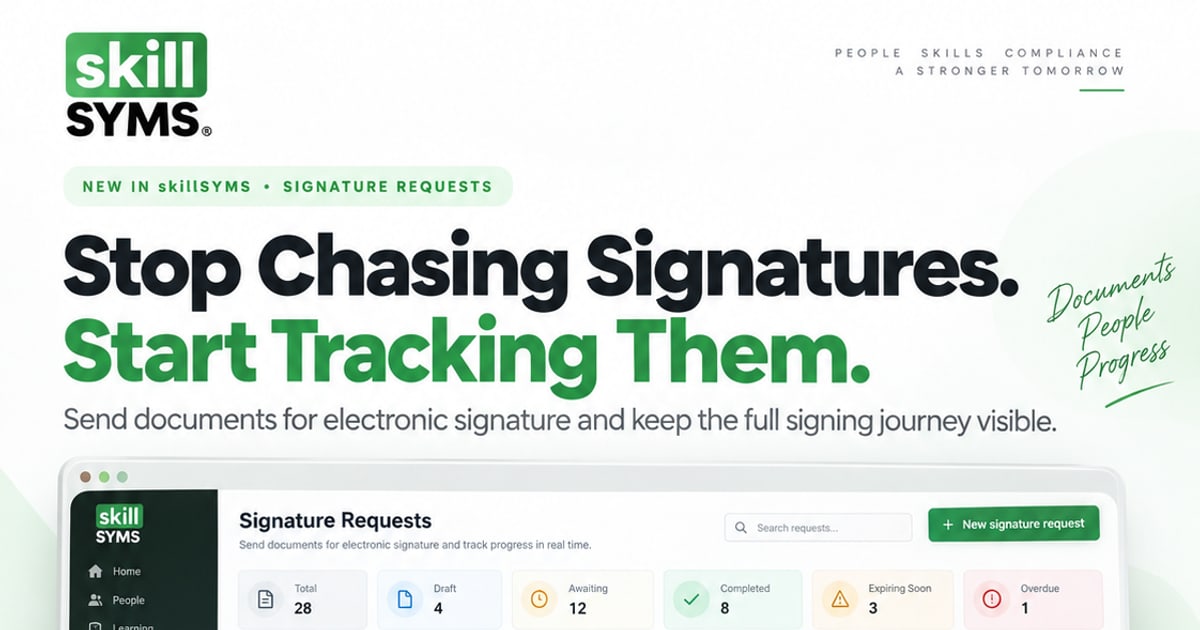
Still Chasing Signatures? How Training Providers Can Get Agreements Signed and Tracked
Learner agreements, workplace agreements and appointment letters stall in inboxes. What a defensible electronic signature process looks like for a South African training provider, what ECTA section 13(2) does and does not cover, and how skillSYMS Signature Requests tracks it.
13 Sept 2026
Read more →
🔒
POPIA Compliant
Data protection by design
✅
QCTO Aligned
Official MIS format exports
🛡️
Enterprise Security
Encrypted & access-controlled
🇿🇦
Built for SA
Local support & hosting
🎓 100% Free · Employer-Ready
Get Certified in QCTO Workflows
Master QCTO-aligned skills development workflows with our comprehensive digital course. Earn verifiable, shareable certificates—free, credible, and employer-ready.
- ✓ 11 comprehensive modules covering all QCTO essentials
- ✓ 6 professional credentials with QR verification
- ✓ Interactive assessments to test your competence
- ✓ Share credentials on LinkedIn, add to CV, or send to employers
No payment required • Self-paced • Certificate included
🏆
Certificate of Completion
QCTO Compliance Fundamentals
skillSYMS Academy
✓ Verified 📋 Shareable 🔗 QR Code
11
Modules
55
Questions
~2h
Duration
📚
Free Ebook
50+ pages
100% FREE
New · LearnChat
Short courses on WhatsApp. No app. Open 24 hours.
134 MicroQuests of 10–30 minutes, taught step by step in the chat your people already use. 42 are free. Pass the challenge and a verifiable certificate arrives in WhatsApp.
New · Schools & Early Learning
One learner record, from ECD to Grade 12.
Schools and ECD centres now run on the same platform as training providers and colleges. Admit a child once, keep their guardians and documents on the record, take the register, capture marks and decide promotion on rules you can explain.
-
SA-SAMS import
Bring your learner list across, check duplicates, then approve.
-
Registers & marks
Daily registers, SBA and exam marks, term and final results.
-
Promotion decisions
Every requirement shown; a missing mark is never a retention.
-
Learner support
Confidential cases; teachers see only the accommodation.
-
Guardian portal
A private link to attendance, behaviour and released reports.
-
ECD to Grade R
The same child record moves to school with guardian consent.
The learner app · live on the App Store
Your Learning. One Dashboard.
See what matters, the moment you log in.
Free on the App Store in every country Apple serves. Android is in open testing — join the test first, then install.
▶ Watch the film All 32 screens → Desktop for Windows, Mac & Linux →
Your Learning. One Dashboard.
See what matters, the moment you log in.
Frequently Asked Questions
What is skillSYMS?
skillSYMS is the compliance system of record for South African skills development. It holds learners, enrolments, digital Portfolios of Evidence, assessment and moderation, workplace logbooks, credentials and statutory exports on one learner record — so the evidence a QCTO, SETA or DHET audit asks for was recorded as it happened rather than assembled afterwards.
Is skillSYMS QCTO compliant?
skillSYMS generates MIS exports in the official QCTO formats (QCTO01 through QCTO06), validates them field by field before submission, and keeps an immutable audit trail of every action. Worth being precise about the word: the QCTO accredits providers, not software. What software can do is make your compliance evidence complete and produce the files in the required format, and that is what this does.
How long does implementation take?
It depends almost entirely on the state of your existing data rather than on the software. Onboarding runs as a staged setup that captures your accreditation scope, campuses, programmes and team before any learner records move, so the migration lands on a structure that is already correct. Bulk import tools handle existing learners, programmes and enrolments.
Is my data secure and POPIA compliant?
Data is encrypted in transit and at rest, every action is logged with an actor and a timestamp, and access is controlled per role and per record. SA ID numbers get specific treatment: encrypted at rest, hashed for lookup, and masked wherever they are displayed. POPIA compliance is ultimately your organisation’s obligation as the responsible party — what we provide are the controls, the audit trail and the data-handling posture that let you meet it.
Can learners access the system?
Yes. Learners get their own portal and mobile app: their programme and progress, evidence upload from a phone camera, attendance and geo-verified clock-in, workplace logbook entries, library loans, originality self-checks, results, credentials, and a downloadable proof of registration and student card.
Do you support colleges and higher education institutions?
Yes. CHE accreditation and self-evaluation reports, DHET and HEMIS reporting, NSFAS funding and evidence packs, ICASS cycles and mark capture, EDLES exam files, and alumni tracer studies are all live — for private HEIs, TVET colleges and providers that deliver both occupational and higher-education programmes.
Can assessors and moderators access the system independently?
Yes. Assessors and moderators have their own portals and mobile screens for reviewing evidence, recording competency decisions and working a moderation queue, each scoped to what their role should see and nothing beyond it. Host employer supervisors get the same treatment for verifying workplace hours.
What can skillSYMS not do?
Some things worth knowing before you buy. There is no built-in support ticketing or help desk. Residence management is not a module. B-BBEE information is captured but there is no scorecard engine. E-signatures are ordinary electronic signatures under section 13(2) of the ECT Act — an advanced signature has to come from an accredited provider, and we do not issue one. We would rather you find this out here than in month three.
Do you offer training or onboarding support?
Yes — hands-on onboarding packages, plus the free skillSYMS Academy course (11 modules with QR-verifiable certificates) which teaches QCTO compliance workflows at no cost whether or not you become a customer.
Ready to Digitise Your Skills Management?
Join providers across South Africa who've made the switch to digital PoE.
A written quote within one business day • Your data exportable at any time