One Learner Record From ECD to Grade 12: Why Schools Stop Re-Typing the Register
South African schools re-capture the same children every year, from the ECD centre to Grade R and from one school to the next. What a school learner record should hold, a checklist for moving off SA-SAMS spreadsheets, and how skillSYMS EducationOS keeps one record per child.
On this page(6 sections)
- Five ways a school’s learner data falls apart
- What a school learner record should hold
- Moving off SA-SAMS spreadsheets: a 10-point data checklist
- How skillSYMS answers it: EducationOS
- One record, many years
- SA-SAMS import, with a person in the loop
- Registers, marks and reports
- Parents who are not in the dark
- Support that follows the child, safely
- Early learning that reaches Grade R
- What is not built yet
- Start with one record
Every January, somewhere in South Africa, a school secretary types the name of a child she already typed last year. The register is a spreadsheet exported from SA-SAMS, re-sorted and re-checked by hand.
Down the road, a Grade R teacher is capturing a five-year-old for the first time, even though the ECD centre that child attended for three years knows her birthday, her guardians, her attendance and how her language development is going. None of it crosses the fence.
This is not a data shortage. The problem is that a child’s information lives in too many places, owned by too many systems, and it starts again from zero every time a child changes class, year or school.
Five ways a school’s learner data falls apart
- The register is re-typed every year. Promotion happens on paper and in a meeting, and the new year’s class lists are rebuilt from the old ones by hand. Every re-type is a chance to lose a guardian’s number or misspell a surname.
- SA-SAMS exports become the system of record. The database is where the official data sits, but the day-to-day work happens in exported spreadsheets, and nothing flows back.
- Parents are in the dark. A guardian finds out about a string of absences at the end of term, when the report comes home.
- Support records live in a cupboard. SIAS forms, intervention notes and accommodations are kept in files that the next teacher never sees, or that too many people can see.
- ECD children are re-captured at Grade R. The development record built up at the centre stops at the gate.
Each of these has the same root cause: the school has many lists, and no single record for the child.
What a school learner record should hold
Before choosing any software, it helps to agree what “the learner record” means. This is the list we built EducationOS around. It is worth printing, whatever system you use.
| Part of the record | What it should hold | Why it matters |
|---|---|---|
| Identity | Legal names, date of birth, SA ID stored securely, other identifiers such as a LURITS number or admission number | One child, one record, even when a surname is spelt two ways |
| Guardians | Who has legal authority, who the child lives with, who may collect, who receives results | The right adult is phoned, and the wrong one is not |
| Enrolment history | Each school, year, grade and class, with admissions, transfers, withdrawals and readmissions | You can see a child’s path instead of guessing it |
| Subjects | The subjects each learner is actually allocated | Marks and promotion rules check against real allocations |
| Attendance | Daily or period registers, submitted by the teacher | Absence patterns show up during the term, not after it |
| Assessment | Tasks, marks and calculated results, with the working shown | A result can be explained, not only reported |
| Progression | The promotion decision, the policy version it used and any override with a reason | Decisions can be defended at an appeal |
| Support | SIAS cases, interventions, referrals and accommodations, visible only to the right people | Help follows the child without exposing them |
| Behaviour | Merits, demerits and incidents in agreed categories | Patterns are seen early and handled consistently |
| Early learning | ECD observations and a development profile | Grade R starts with what the centre already knows |
| Audit trail | Who changed what, and who viewed sensitive information | Trust, and a record for POPIA questions |
Moving off SA-SAMS spreadsheets: a 10-point data checklist
Planning to bring your learner data into any new system? Work through this list first.
- Export the full learner list, including learners who left this year, not only the current classes.
- Check every learner has a date of birth. Matching depends on it.
- Note which learners have no SA ID, and what identifier you use for them instead.
- Confirm guardian names and contact numbers are in their own columns, not in a notes field.
- Standardise grade and class names so “Gr 4A” and “Grade 4 A” are one class.
- Look for the same child twice, especially after a surname change or a readmission.
- Decide who in the school will make the call on uncertain matches. It should be a person, not a script.
- Keep the original export file unchanged, and work from a copy.
- Record admission dates only where you actually have them. A guessed date is worse than a blank one.
- Plan a reconciliation check after the import: counts per grade and class, compared with the source.
How skillSYMS answers it: EducationOS
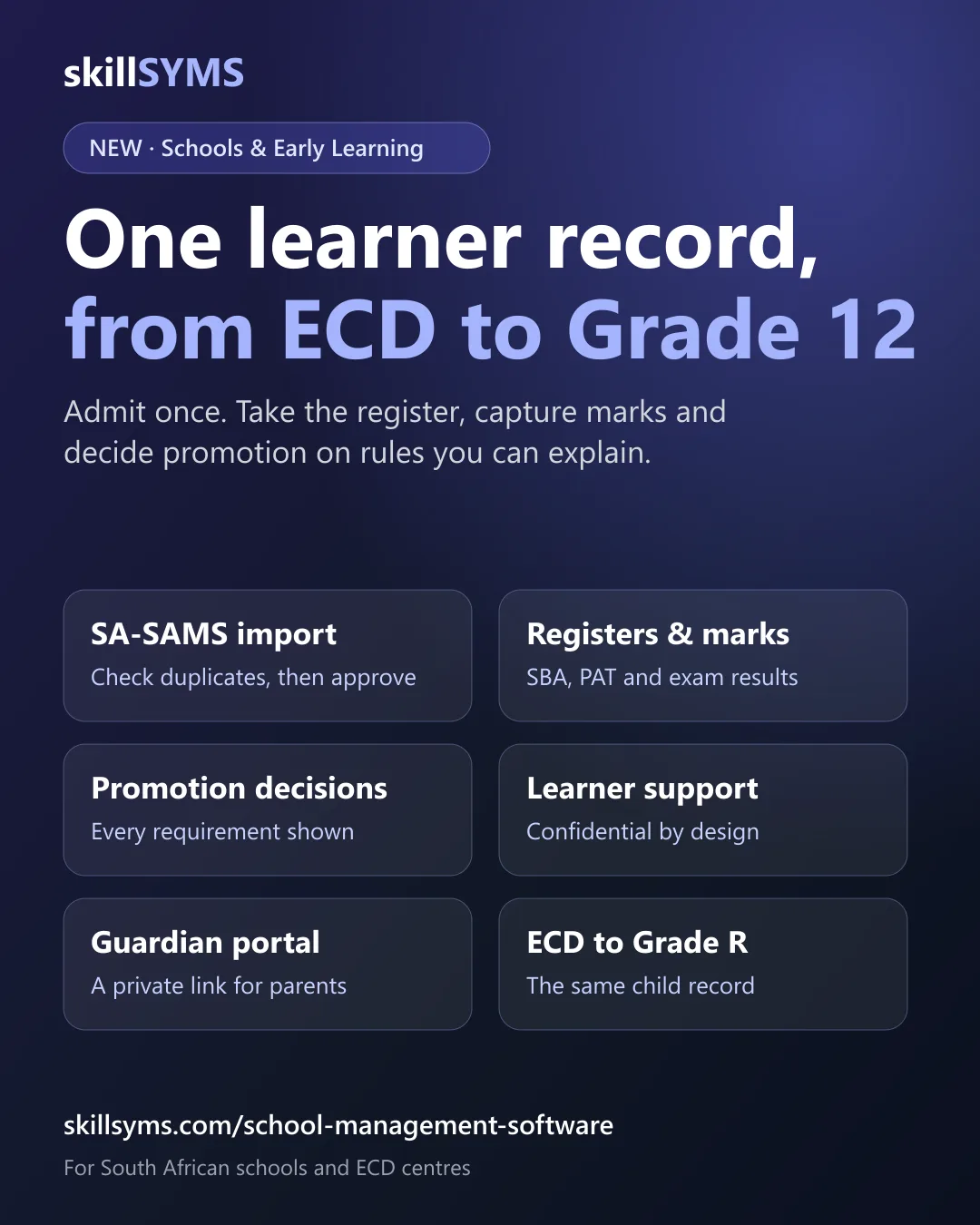
EducationOS is the skillSYMS workspace for schools and early learning centres. In skillSYMS you find it in the sidebar under Learners → Schools & ECD. It went live in production on 17 September 2026, and it is built on one principle: a school learner, a guardian and an educator are each one person in skillSYMS, with many enrolments over the years, rather than a new row in a new list every January.
One record, many years
On the Learners screen you admit a learner, add identifiers, link guardians, place the learner in a class, and record a transfer out, a withdrawal or a readmission. An enrolment is never deleted: a returning learner is readmitted, and the Education timeline on the learner shows each school, year and class. SA ID numbers are stored in protected form.
Structure holds your grades, classes and subject offerings. At the end of the year, Progression lets staff propose promotion decisions, have them approved by someone with approval rights, apply them to enrolments, and roll over to the next year. Rolled-over learners wait for a class placement instead of being re-captured.
One rule matters most. A child is never retained because a mark was not captured. If a result is missing, the decision is marked undetermined, and a run with undetermined decisions cannot be approved without an override and a written reason.
SA-SAMS import, with a person in the loop
The SA-SAMS import screen takes an Excel or CSV export of your learner list. You check the columns, stage the rows, and skillSYMS looks for people who are already on the system. Only an exact match on ID number, date of birth and surname is linked automatically; probable, possible and conflicting matches wait for a person to decide before the batch can be approved.
There is also a separate read-only SA-SAMS agent, a command-line tool that reads a copy of the database file and stages the export. It never writes to SA-SAMS and cannot approve an import. It has not yet been tested against a live school database, so start with a file export.
To be clear about what this is not: skillSYMS does not submit data to the DBE, your provincial department or LURITS. The Data quality screen runs skillSYMS’s own checks so your records are in better shape when statutory returns are prepared. That is readiness, not submission.
Registers, marks and reports
Teachers open My classes and take the class register, mark all unmarked learners present and correct the exceptions, then submit. Assessment holds tasks and marks. If two people edit the same mark, the conflict is shown, not silently overwritten. Reports produces printable term and final class reports, and a school chooses when to release them to guardians.
The assessment weightings and promotion rules come from Policies, and here we are careful. Every policy starts as an unverified draft. The skillSYMS platform team checks it against its source and publishes it in Regulation Studio, and a school can only activate a published policy. Each decision keeps the policy version it was made under.
Offline class registers and mark capture are built for skillSYMS Desktop, with conflicts resolved in the Sync Centre. They need a Desktop release that includes the school screens; offline use in the browser is not built.
Parents who are not in the dark
The guardian portal is a private link, not another password to forget. Staff create a link for a specific guardian and send it themselves. Nothing is emailed automatically. The portal is off until the school switches it on, and it shows attendance, behaviour categories and released reports. It never shows support records, identity numbers, behaviour descriptions or restriction notes, and it is refused for a guardian without legal authority or recorded as not receiving results.
Support that follows the child, safely
Learner support holds SIAS cases at levels one to three, with interventions, referrals, reviews and accommodations. Case notes are readable only by the case members and people with the right support access, and every full read is logged. Teachers see an accommodation as an instruction, such as extra time, without the reason behind it. Behaviour records merits, demerits and incidents in agreed categories.
Early learning that reaches Grade R
On Early learning, ECD practitioners record observations against the National Curriculum Framework areas and build a development profile over time. When a child moves on, the centre prepares a school transition package with development, attendance and a simple flag that support is in place, never the support details. A guardian with consent authority approves it, and the school accepts into school the same child, with the same record.
Governance keeps SGB members, meetings, resolutions and a printable meeting pack. Its parent-majority composition check is advisory: it flags a possible problem, and the school decides.
What is not built yet
EducationOS does not yet cover extramural and sports, nutrition, transport or hostels, LTSM, SACE verification, NSC and prelim exam adapters, messaging to guardians, or a timeline that continues into college and work.
Start with one record
The fix is not another spreadsheet. It is one record per child, carried from the ECD centre to Grade R and through to Grade 12.
- See what EducationOS covers: school management software for South African schools and ECD centres.
- Setting it up: follow the step-by-step guide to school setup in EducationOS.
- Working with patchy connectivity: read how skillSYMS handles offline work, or browse all skillSYMS features.
What's new in skillSYMS
- MicroQuests in the browser, in the app and by email
- skillsyms.com/learn: take LearnChat MicroQuests in any browser with buttons instead of chat replies. You get the same quests, wallet, progress and certificates as on WhatsApp
- Learn by email: anyone can ask for a personal learning link on skillsyms.com/learn. There's no account and no password, and the link keeps you signed in on that device for 30 days
- Schools & Early Learning (alpha): grades, registers, marks, promotion and SA-SAMS import
- Learners → Schools & ECD: set up a school or ECD centre under its provincial department, with grades, classes and subjects for each academic year
- Choose your institution type (primary, secondary, combined, independent, ECD centre and more) to switch on the matching pack
- Schools & Early Learning: learner support, behaviour, governance, ECD development and a guardian portal
- My classes: a teacher's registers still to take today, open assessment tasks and which learners need accommodations
- Teaching assignments and teaching scope: start by observing captures outside a teacher's classes, then limit teachers to their own classes and subjects
Ready to simplify your QCTO compliance?
See how skillSYMS can help your organisation manage digital PoE and MIS exports.