Your People Aren't at a Desk. Your Training Shouldn't Be Either.
Most training assumes a laptop, a login and a free hour. Your people have a phone and ten minutes. Microlearning on WhatsApp, the web, an app and email, with one verifiable certificate.
On this page(7 sections)
Picture the people your training is actually for. A site supervisor between shifts. A teacher in the fifteen minutes before the bell. A learner on a taxi with a phone and a prepaid data bundle. A new cashier on her first Monday.
Now picture the training you were about to send them: a link to a portal, a username they will forget, a module that takes an hour, and a certificate that arrives if they ever reach the end.
The course isn’t the problem. The delivery assumes a desk. Most of your people don’t have one.
Why training stalls when it assumes a laptop
Microlearning isn’t a trend here. It fits how most working people in South Africa actually get through the day: on a phone, in the gaps, often on a patchy connection. When training ignores that, it fails in the same five ways every time.
- The login is the first lesson, and most people fail it. Every new username and password costs you a share of your audience before they reach the first page.
- An hour is never free. People can find ten minutes a few times a week. They almost never find sixty in one go.
- The channel they check is not the one you send to. A portal notification sits unread while WhatsApp gets opened within minutes.
- Progress is trapped on one device. Someone starts on a work computer and cannot continue on the phone in their pocket.
- Completion is invisible. A certificate nobody can check is a PDF, not proof.
None of these is solved by better content. They are solved by putting the same short lesson wherever the person already is.
One MicroQuest, four ways in
As of today, skillSYMS MicroQuests run on four channels. The lesson, the wallet, the progress and the certificate are the same on each of them.
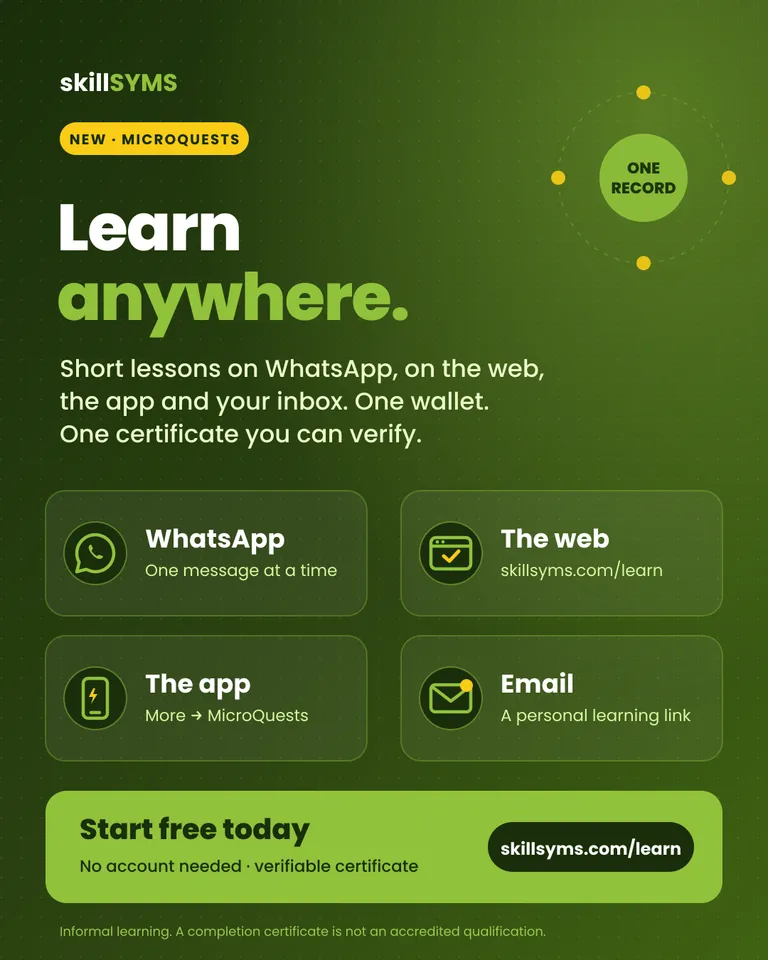
- WhatsApp. Send LEARN to the skillSYMS number and learn one message at a time. No app, no password. This is the original channel, and the natural one for people who live in WhatsApp.
- The web. Open skillsyms.com/learn in any browser, on a phone or a computer. You tap your answers instead of typing them, and see your progress bar and certificate on the page.
- The skillSYMS app. Learners and staff who already use the app find it under More → MicroQuests, next to the rest of their work.
- Email. For people with no account and no WhatsApp on file, email carries the way in: a personal learning link. It opens their learning in the browser, signed in, for 30 days, with no password to create and none to forget.
The email does not try to deliver the lesson itself. A quest is a few dozen short steps, and a few dozen emails back and forth would bury anyone’s inbox. The email is the door, and the browser is the room.
Which way in suits which learner
| Your learner | Suggested way in | Why |
|---|---|---|
| Frontline worker who lives in WhatsApp | Nothing to install, nothing to log in to, works on a basic data bundle | |
| Staff member already using skillSYMS | The app or the web | Signed in already. MicroQuests sit next to their other work |
| Job-seeker, parent or member of the public | Email link, then the web | No account needed. The link signs them in on their own phone |
| Someone who shares a phone or changes numbers | Email link | Their learning follows the email address, not the handset |
| A class on computers in a lab | The web | A big screen and a real keyboard for reflection answers |
| A team of 50 new starters | Give from the console | One list of numbers and addresses, each told on their own channel |
What happens behind the door
The experience is short on purpose. Every channel runs the same sequence:
- Choose. Browse topics, such as workplace safety, AI and digital skills, money, careers, compliance, teaching practice and high school subjects, or search for what you need.
- Unlock. Free MicroQuests start immediately. Paid ones are unlocked with prepaid learning credits, or through a secure pay link by card or instant EFT. The unlock happens as soon as the payment is confirmed, and the person is told.
- Learn a step at a time. Short explanations, then quick checks that teach rather than grade. A question cannot be skipped, because the moment you get one wrong is the moment you learn.
- Prove it. A final challenge with a pass mark. Pass and the certificate is issued straight away, with a unique number and a public verification link any employer can open.
- Keep going. Every completion offers the next step: the next quest in your pathway, or the next one on the same shelf. Nobody finishes on a dead end.
Stop halfway on the bus and pick it up at your desk. As long as it is the same learning identity, the session is waiting at the same step.
For organisations: give it to your people, on their channel
This is where “anywhere” matters most. A training manager should not have to know which of 50 new starters uses WhatsApp and which only checks email.
In the LearnChat console, staff paste one list of WhatsApp numbers and email addresses together and choose what to give:
- One MicroQuest, already paid for.
- A package, a saved set such as a compliance induction, or a whole shelf of the catalogue.
- A pathway, a sequence that unlocks one quest at a time, each as soon as the last is done.
- Credits, so people can choose their own.
Each person is told on the channel they have. A number gets a WhatsApp message. An address gets an email with a personal learning link that opens exactly what they were given. When someone has both on file and the WhatsApp message cannot be delivered, the email goes instead. The console shows who was told and how, with contact details masked.
Academies can also publish their own MicroQuests, written in the console or imported from a Markdown file, and sell them through their own payment account.
A checklist before you roll out microlearning
Print this, whichever platform you use.
- Pick the job, not the topic. Each quest should teach one thing someone does at work.
- Keep it under half an hour. If it runs longer, split it in two.
- Check as you teach. Put a question after every idea that matters, with an explanation for the wrong answers.
- End with a real test. A short final challenge with a pass mark, and a free retry.
- Meet people on their channel. Collect a WhatsApp number or an email address, not a new username.
- Make completion checkable. A certificate number and a public verification link beat a PDF.
- Say what it is not. Informal learning is valuable. Never let it pass for a qualification.
- Offer the next step. Plan pathways, so finishing one quest starts the next.
- Measure drop-off by step. The step where people stop is the step to rewrite.
What it is not, stated plainly
- Not an accredited qualification. MicroQuests are informal learning. Every certificate says so.
- Not a replacement for your programme. It sits beside occupational qualifications and skills programmes. It doesn’t stand in for them.
- Not yet one identity across every door. A signed-in account shares progress with WhatsApp once the number has been verified against it. An email-only learning link cannot yet be merged with an existing WhatsApp number, so those stay two separate records for now.
- Video and audio open in a new tab in the browser rather than playing inside the page.
Start with one
The fastest way to understand it is to take one.
- Try it now: open skillsyms.com/learn and ask for a learning link, or learn on WhatsApp instead. The first MicroQuests are free.
- For your organisation: see how LearnChat works for academies and employers, or read how to write MicroQuests in Markdown.
- On the move: get the skillSYMS mobile app, or browse all skillSYMS features.
What's new in skillSYMS
- MicroQuests in the browser, in the app and by email
- skillsyms.com/learn: take LearnChat MicroQuests in any browser with buttons instead of chat replies. You get the same quests, wallet, progress and certificates as on WhatsApp
- Learn by email: anyone can ask for a personal learning link on skillsyms.com/learn. There's no account and no password, and the link keeps you signed in on that device for 30 days
- Schools & Early Learning (alpha): grades, registers, marks, promotion and SA-SAMS import
- Learners → Schools & ECD: set up a school or ECD centre under its provincial department, with grades, classes and subjects for each academic year
- Choose your institution type (primary, secondary, combined, independent, ECD centre and more) to switch on the matching pack
- Schools & Early Learning: learner support, behaviour, governance, ECD development and a guardian portal
- My classes: a teacher's registers still to take today, open assessment tasks and which learners need accommodations
- Teaching assignments and teaching scope: start by observing captures outside a teacher's classes, then limit teachers to their own classes and subjects
Ready to simplify your QCTO compliance?
See how skillSYMS can help your organisation manage digital PoE and MIS exports.