Still Chasing Signatures? How Training Providers Can Get Agreements Signed and Tracked
Learner agreements, workplace agreements and appointment letters stall in inboxes. What a defensible electronic signature process looks like for a South African training provider, what ECTA section 13(2) does and does not cover, and how skillSYMS Signature Requests tracks it.
On this page(6 sections)
Ask whoever handles enrolments at a training provider what slows an intake down, and the answer is seldom the learners. It is the paper around them. The learner enrolment agreement. The workplace agreement with the host employer. The assessor’s appointment letter. The POPIA consent form. Every one needs a signature, and many need more than one.
Getting those signatures is not hard. Knowing where each one stands is. The document goes out as an email attachment, comes back as a phone photo of a printed page, and the only record of who is still outstanding is a spreadsheet one person keeps up to date, until they are on leave.
Why signatures stall
Most signature delays are not refusals. They are gaps in visibility, and they follow a small number of patterns.
- Nobody knows it is their turn. An agreement that needs the employer first and the provider second waits silently after the employer signs, because nobody told the provider.
- The document changed after it was sent. Someone fixes a clause and sends a new version. Now there are two copies in circulation, and one of them is signed.
- The follow-up lives in one inbox. Reminders depend on memory. When that person is away, so is the process.
- The signed copy cannot be found. It arrived. It is in an email thread, a download folder or a shared drive with a name like “scan0043.pdf”.
- Nobody can say how it was signed. When the agreement is questioned months later, all anyone has is an image of a signature and a date written by the signer.
The last one matters most for a provider that expects to be audited, and it is the one a scanned page does least to solve.
What South African law says, in plain terms
This is not legal advice, and a provider should check its own documents with its own adviser. But the shape of the law is worth knowing before choosing a tool.
The Electronic Communications and Transactions Act, 2002 (ECTA) recognises electronic signatures. It describes two kinds:
- An ordinary electronic signature, under section 13(2): data attached to or logically associated with a document, applied by a person with the intention of signing it. A typed name, a drawn signature or a click-to-sign can all qualify.
- An advanced electronic signature, under sections 37 and 38: one backed by a certificate from an authentication service provider accredited by the South African Accreditation Authority, which involves verifying the person’s identity.
Two cautions keep this honest. First, where a law specifically requires a signature and does not say what kind, the Act calls for an advanced electronic signature. Second, some documents are excluded from the Act altogether, including wills and agreements for the sale of land. Neither is usually on a training provider’s desk, but it is exactly why a tool that says “legally binding for everything” deserves suspicion.
For an ordinary electronic signature, its weight in a dispute depends on the evidence around it. A picture of a signature proves very little. What proves something is being able to show who was invited, that they agreed to sign electronically, when they opened the document, exactly what they were shown, when they signed, and that none of that record has been quietly edited since.
What a defensible signature process looks like
Whatever tool you use, or if you stay on paper, these are the questions worth being able to answer for every agreement. Save this and hold your current process against it.
| Question | Why it matters | What good looks like |
|---|---|---|
| Which version was signed? | A clause changed after sending creates two agreements. | The document is frozen when sent, with a fingerprint of the file recorded. |
| Who was asked to sign, and in what order? | A missing counter-signature is not an agreement. | Named recipients with roles, and a defined signing order. |
| Did they agree to sign electronically? | The signer should have known they were signing. | An explicit consent step, recorded with the time. |
| When did they open it, and when did they sign? | Establishes the sequence if it is ever questioned. | Timestamped events for invited, opened and signed. |
| Has the record been changed? | An editable log shows nothing. | Each event chained to the previous one, with a way to check the chain. |
| What is still outstanding? | Stalled agreements block learners and workplace hours. | A status for every request and a list of who has not signed. |
| Where is the signed copy? | Audits ask for the document, not the email. | One signed file with a summary of how it was signed, stored against the request. |
| What kind of signature is it? | Overstating it invites reliance it cannot bear. | A plain statement on the signed document of the legal category. |
How skillSYMS answers it: Signature Requests
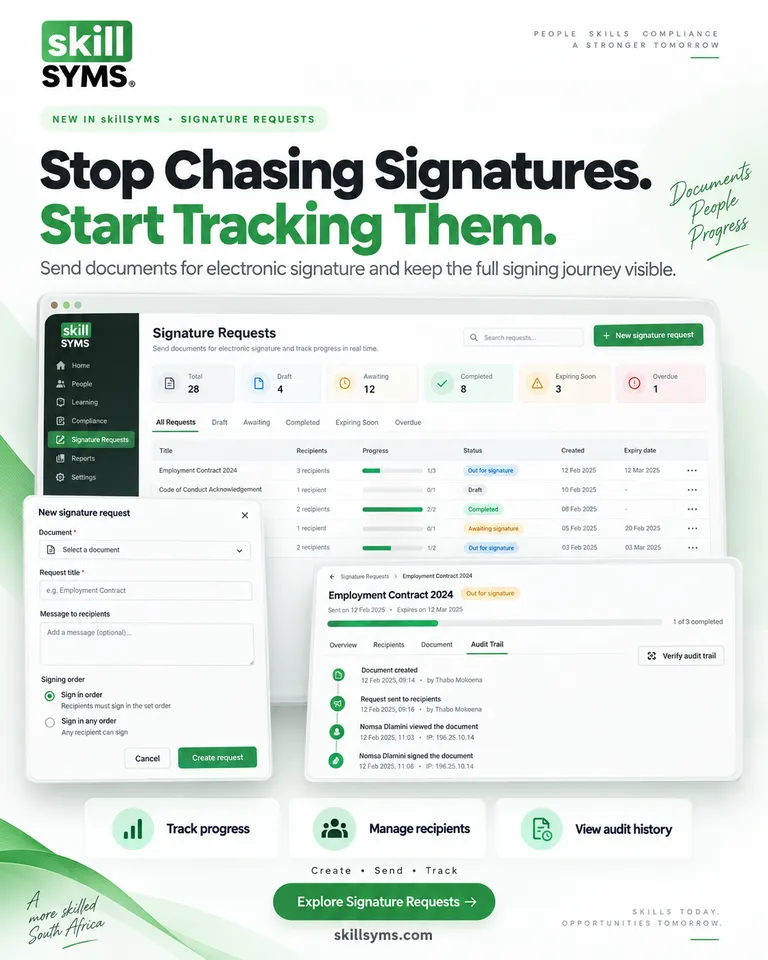
Signature Requests is where skillSYMS sends a document for electronic signature and shows you where every request stands. It sits under Operate → Documents & Signatures, next to the Document Hub where your agreements are stored.
Start from the document you already hold. Upload the PDF to the Document Hub, open it and press Send for signature. The request starts pointed at that document, so there is no second copy to keep in step.
Name the people and the order. Add each recipient by name and email as a Signer, Approver, Witness or Copy only. Choose Everyone at once, or One after another when the host employer signs first and the provider counter-signs last. With one after another, skillSYMS emails the next person when it is their turn, which closes the first gap in the list above.
Say what each person completes. Add fields for a signature, initials, free text or a tick box, and let skillSYMS fill in the date signed, full name and job title itself, so a signer cannot back-date their own signature. A signer with no signature field cannot be sent. Fields are placed by choosing a page and a position with a proportional preview, rather than by dragging a box onto the page.
Send, and the document is frozen. When you press Send, the file is copied and its SHA-256 fingerprint recorded, and the recipients and fields can no longer be edited. If the agreement needs to change, void the request and start a new one; both records remain.
Signers need no account. Each person is emailed a personal link. They read the PDF in their browser, draw or type their signature, tick the box confirming they agree to sign electronically, and sign. For a more sensitive document, choose Link + access code and give them a six-character code separately. If someone declines, they give a reason, the request ends for everyone and the sender is emailed.
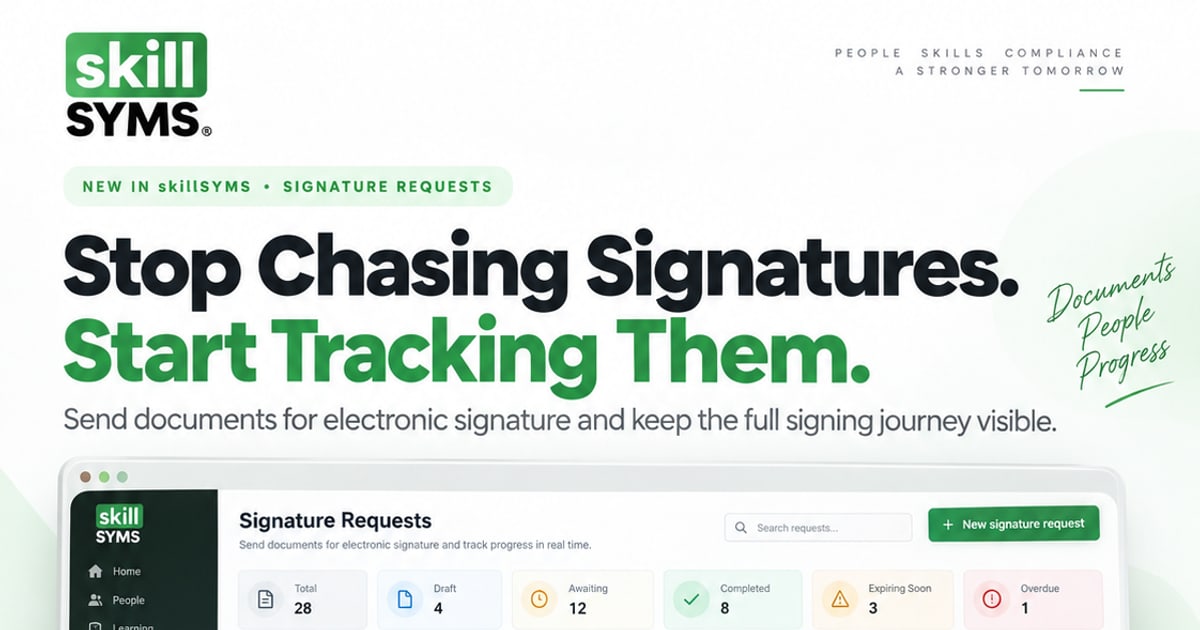
See every request by status. The Signature Requests screen opens with tiles for Total, Draft, Awaiting, Completed, Expiring soon (expiring within seven days) and Overdue (past its expiry date and still unsigned), and a list with a progress bar for each request. Open one to see each recipient’s position: not yet invited, invited, opened it, signed or declined. Press Resend link beside anyone outstanding to email them a reminder.
Check the audit trail. Every step is recorded: created, sent, opened, consented, signed, reminded, completed. Each event includes a hash of the one before it. Press Verify audit trail and skillSYMS recomputes the chain and tells you whether it is intact, or which events were altered or are missing. Network and device details are stored as one-way hashes, not as raw addresses.
Keep one signed file. When the last required person signs, skillSYMS draws the signatures onto a new copy of the PDF and attaches a certificate of completion: each signatory, when they were invited, opened and signed, whether consent was given, the document fingerprints, and a plain statement that this is an ordinary electronic signature under section 13(2), not an advanced one. Everyone on the request is emailed that it is complete, and staff download the signed PDF from the request.
What it does not do yet
Worth knowing before you plan around it:
- Reminders are manual. There is no automatic reminder schedule yet, and a request past its expiry shows as Overdue rather than closing itself.
- No reusable templates. A document you send often is prepared each time.
- No identity verification. Signers are identified by the email address you invite and, optionally, an access code. It is not an advanced electronic signature.
A twenty-minute exercise for your team
You can tighten your signature process this week, with or without new software:
- List every document your provider asks people to sign in a typical intake.
- For each, write down who signs and in what order.
- Mark the ones that have ever been signed on the wrong version, or never came back.
- Ask your legal adviser which, if any, need more than an ordinary electronic signature.
- For the rest, send one real agreement through Operate → Documents & Signatures → Signature Requests to two colleagues, one after another, and then press Verify audit trail.
If the exercise surfaces a document nobody can find a signed copy of, that is the one to fix first.
Stop chasing signatures
Signing a document is the easy part. The work is knowing what is still out, who it is waiting for, and being able to show exactly how it was signed when someone asks. Signature Requests puts that in one place, next to the learners and documents it concerns.
- Existing customers: open Operate → Documents & Signatures → Signature Requests, or follow the step-by-step guide to sending a signature request.
- Exploring skillSYMS: see what Signature Requests does, how it fits learnership management, or request a demo.
What's new in skillSYMS
- MicroQuests in the browser, in the app and by email
- skillsyms.com/learn: take LearnChat MicroQuests in any browser with buttons instead of chat replies. You get the same quests, wallet, progress and certificates as on WhatsApp
- Learn by email: anyone can ask for a personal learning link on skillsyms.com/learn. There's no account and no password, and the link keeps you signed in on that device for 30 days
- Schools & Early Learning (alpha): grades, registers, marks, promotion and SA-SAMS import
- Learners → Schools & ECD: set up a school or ECD centre under its provincial department, with grades, classes and subjects for each academic year
- Choose your institution type (primary, secondary, combined, independent, ECD centre and more) to switch on the matching pack
- Schools & Early Learning: learner support, behaviour, governance, ECD development and a guardian portal
- My classes: a teacher's registers still to take today, open assessment tasks and which learners need accommodations
- Teaching assignments and teaching scope: start by observing captures outside a teacher's classes, then limit teachers to their own classes and subjects
Ready to simplify your QCTO compliance?
See how skillSYMS can help your organisation manage digital PoE and MIS exports.