They Attended the Training. Can They Do the Job?
Most staff onboarding at training providers ends with an attendance register, not evidence of ability. How to train by role, measure readiness instead of attendance, and how skillSYMS Staff Academy does it.
On this page(6 sections)
- Why software training so often doesn’t stick
- It is organised around the product, not the job
- It happens beside the work, not in it
- It measures attendance, because attendance is easy
- Managers find out last
- What readiness looks like instead
- A starting point for each role
- How skillSYMS solves it: Staff Academy
- A one-week readiness plan for your team
- Train for the role. Prove the readiness.
Every training provider has a version of this story. A new administrator joins in February. They sit through an afternoon of system training, take notes, and say it all makes sense. In May, a funder asks for an attendance register for a particular cohort. In July, an export is rejected because enrolments were captured against the wrong programme. Nobody was negligent. The training happened. It just never answered the only question that mattered: could this person actually do the job?
For a business that trains people for a living, it is an uncomfortable gap. Providers design careful assessment strategies for their learners. Then they onboard their own staff onto the system that holds the evidence with a walkthrough and a sign-in sheet.
Why software training so often doesn’t stick
It is tempting to blame the people. The real cause is usually the shape of the training.
It is organised around the product, not the job
A typical product walkthrough goes menu by menu: here is Learners, here is Assessments, here is Reports. That is how the software is built, not how anyone works. A finance administrator does not need a tour of moderation; they need to know where a stipend run lives and what has to be true before a claim can be defended. An assessor does not need the organisation settings. When everyone gets the same tour, everyone gets mostly the wrong one.
It happens beside the work, not in it
Watching someone register a learner is not the same as registering one. Training in a demo environment or on a projector leaves nothing behind, so the first real attempt happens alone, weeks later, with a live record at stake.
It measures attendance, because attendance is easy
A register proves that someone was in the room. It says nothing about whether they could perform the task the next day. Yet “trained” in most organisations means “attended”, because that is the only thing anyone recorded.
Managers find out last
Without a view of who has actually done what, a manager discovers a readiness gap when it becomes a problem: a rejected submission, an audit finding, a funder query nobody can answer.
What readiness looks like instead
The fix is not more training. It is training with a different shape. For most skills development providers, five principles make the difference.
- Train by role. Start from what each person is accountable for, not from the menu.
- Sequence it the way the work happens. You cannot enrol a learner on a programme that does not exist yet. Order the tasks so each one leaves behind what the next one needs.
- Do it for real. The practice run should be the real run, in the live system, with records you keep.
- Check the result, not the tick. Where a record can prove the work was done, look for the record. Where it can’t, record honestly that the person said so.
- Make progress visible. A manager should be able to see, per person, who has started, who has finished and who is late, without chasing anyone.
A starting point for each role
Before you choose any tool, it helps to write down what “ready” means for each role in your team. Here is a practical starting point, taken from the jobs the skillSYMS role tracks ask each person to do in the product. Save it, adapt it and use it in your next onboarding plan.
| Role | Ready means they have done this in the live system |
|---|---|
| Administrator & Registry | Set up the workspace, put the first programme on the system, registered a learner safely, enrolled them, and proved the data is submission-ready |
| Facilitator & Trainer | Found their day, captured a register, captured evidence while it was happening, and run a formative assessment |
| Assessor | Worked their queue, reviewed a portfolio properly, recorded a competence decision, and read the assessment plan they are working to |
| Moderator | Found what is waiting for moderation, drawn a sample that means something, recorded a moderation decision, and reported what they found |
| Operations Manager | Run the morning from the cockpit, put the timetable where everyone can see it, and produced the attendance register somebody asks for |
| Academic Manager | Laid out the curriculum, attached outcomes and evidence requirements, scheduled a delivery and published an assessment plan |
| Executive & Principal | Read the compliance position, followed a cohort from enrolment to certification, and understood what stops a credential being issued |
| Workplace Supervisor | Understood what they are being asked to confirm, checked attendance against reality, and signed off a logbook or a set of hours |
A useful test for any line in that table: could the person show you the record they created? If the answer is “they watched it being done”, they are not ready yet.
How skillSYMS solves it: Staff Academy
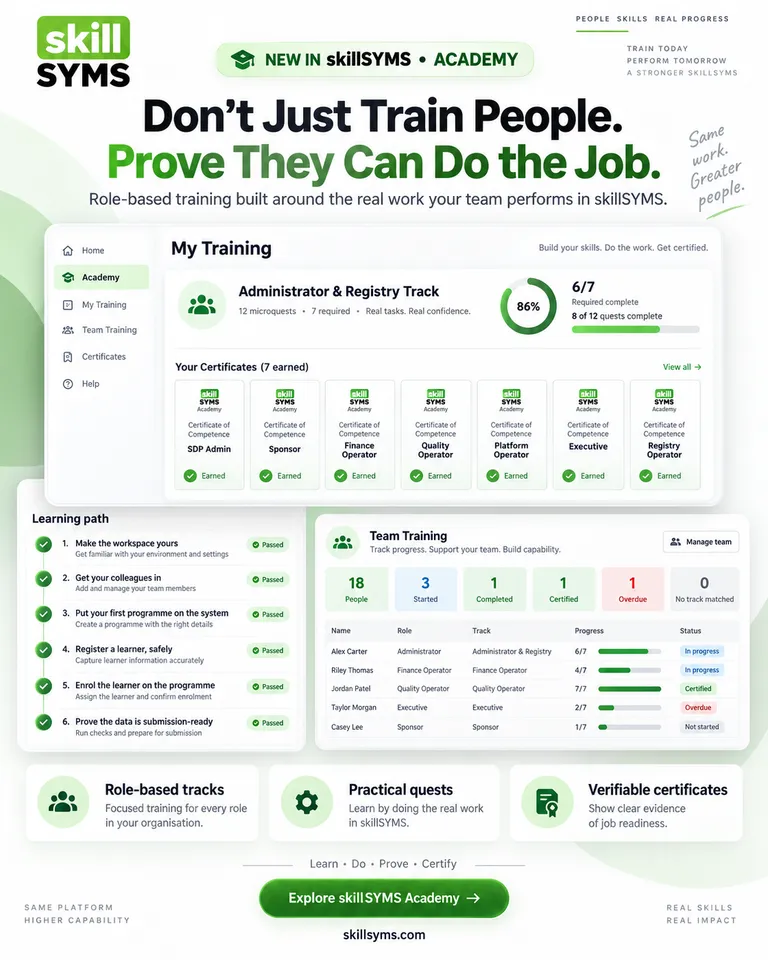
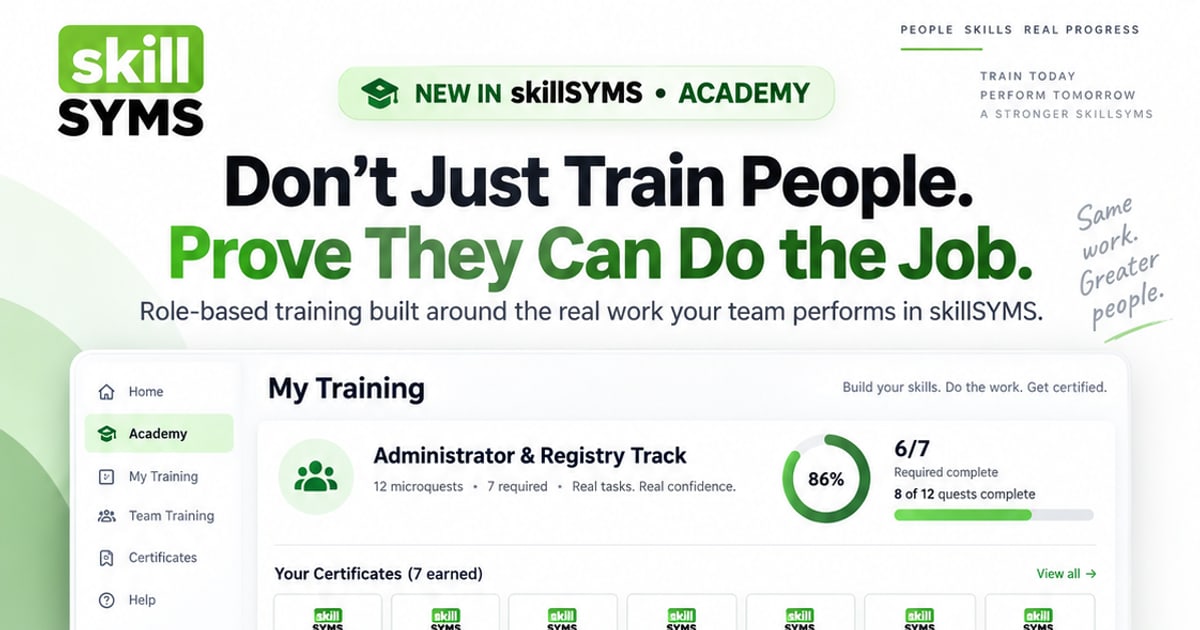
Staff Academy is the role-based training built into skillSYMS, and it is built on the principles above. It lives under Operate → Staff Academy.
A track for each role. Open My Training and the track your role points at opens: Executive & Principal, Operations Manager, Academic Manager, Administrator & Registry, Finance & Funding, Facilitator & Trainer, Assessor, Moderator, Quality & Compliance, Workplace Supervisor, Sponsor & Funder or Learner. Staff can open any provider track, which is also a quick way to learn a colleague’s job before covering for them.
Short quests, in order. A track is a path of quests, each one a short piece of a single job. The first unfinished required quest is marked Start here, because the question someone opens the page with is “where do I go now?”
Done in the real product. Reading steps open the relevant guide. Doing steps open the real page in your workspace. When an administrator finishes their track, the workspace has a campus, a programme, enrolled learners and a validated export, because that is what the quests had them do. Training and setting up the workspace turn out to be the same work.
Checked against your records. Where a record can prove a step, skillSYMS looks before it agrees. Tick “register one learner” without registering one and the step stays open with a plain message: not done yet — we looked for it and found none. Steps no record can prove, such as reading a guide, are recorded as taken on the person’s word. The product does not pretend otherwise.
A short check that teaches. Every quest ends with three questions, all of which must be right. The explanation appears after every answer, right or wrong, and people can retry as often as they need. Whether they passed first time is recorded, and retries can’t change it.
A certificate anyone can verify. Finish every required quest and claim a certificate: a PDF and a public verification page. It shows how many steps were verified against real records and how many were self-attested, side by side. It is a product training record, not a qualification. It is not NQF-registered and confers no assessor or moderator registration, and the certificate itself says so. A provider that issues Statements of Results for a living should expect nothing less from its software.
Team Training for managers. Team Training shows everyone in the workspace with their role, track, progress, due date and certificate, plus totals for started, completed, certified and overdue. Assign a track with a due date when someone must be ready by then. Managers do not see individual answers or how many attempts a check took. People learn more when a wrong guess isn’t reported upwards.
A few honest limits: tracks are written by skillSYMS rather than by each provider, staff tracks run in the web app (the mobile app carries the Learner track), and Overdue only appears once a track has been assigned with a date.
A one-week readiness plan for your team
You don’t need a training day to start. Try this:
- Monday. Check every staff member has the right role in skillSYMS. The role decides which track opens.
- Tuesday. Open Team Training and look at the No track matched tile. Assign a track to anyone whose role didn’t match.
- Wednesday. Assign each new starter their track with a realistic due date.
- Thursday. Ask each person to finish the first quest marked Start here, using real records.
- Friday. Open Team Training again. Talk to anyone still Not started, and look at the verified steps on any certificates issued.
Then repeat the Friday check each week until everyone who needs to be certified is.
Train for the role. Prove the readiness.
The question at the end of staff onboarding shouldn’t be “who attended?” but “who can do the job, and how do we know?” Staff Academy gives you an answer grounded in the work itself: records people created, checks they passed and a certificate anyone can verify.
- Existing customers: open Operate → Staff Academy → My Training in skillSYMS, or follow the step-by-step guide to My Training and Team Training.
- Exploring skillSYMS: see what Staff Academy gives your team, how it fits a QCTO-compliant learner management system, or request a demo.
What's new in skillSYMS
- MicroQuests in the browser, in the app and by email
- skillsyms.com/learn: take LearnChat MicroQuests in any browser with buttons instead of chat replies. You get the same quests, wallet, progress and certificates as on WhatsApp
- Learn by email: anyone can ask for a personal learning link on skillsyms.com/learn. There's no account and no password, and the link keeps you signed in on that device for 30 days
- Schools & Early Learning (alpha): grades, registers, marks, promotion and SA-SAMS import
- Learners → Schools & ECD: set up a school or ECD centre under its provincial department, with grades, classes and subjects for each academic year
- Choose your institution type (primary, secondary, combined, independent, ECD centre and more) to switch on the matching pack
- Schools & Early Learning: learner support, behaviour, governance, ECD development and a guardian portal
- My classes: a teacher's registers still to take today, open assessment tasks and which learners need accommodations
- Teaching assignments and teaching scope: start by observing captures outside a teacher's classes, then limit teachers to their own classes and subjects
Ready to simplify your QCTO compliance?
See how skillSYMS can help your organisation manage digital PoE and MIS exports.